Payaza Branches
The shape of a multi-location collection product.

A single-location business can be served by a single account, a single dashboard, and a single notification stream. Once a business has more than one location, none of those things hold.
A restaurant chain with six outlets needs to know which outlet collected which payment, in real time, without making the head office sift through a single account’s transaction history to find out. A franchise group needs each franchisee to operate independently but settle into one account at the centre. A retail business with five branches needs the cashier at branch 3 to know a payment hit her branch the moment it does, while the owner sees the same payment in the consolidated view.
Existing fintech tooling forced these businesses into one of two workarounds. Either they opened separate merchant accounts per location, which split their reporting, multiplied their compliance overhead, and made consolidated settlement impossible. Or they used one account for everything, which collapsed all location signal into a single undifferentiated stream and forced the head office to manually reconcile which payment came from which branch.
Both workarounds were tax on growth. The more locations a business had, the more expensive it became to know what was happening across them.
Payaza Branches was designed to remove that tax. One merchant account, many branches, each with its own virtual account number, its own roster of staff, its own real-time notification stream, and its own collections view. Settlement rolls up to one account on T+1. The head office sees everything. Each branch sees only its own.
The Model
The product rests on a three-object model. Branch. Member. Account.
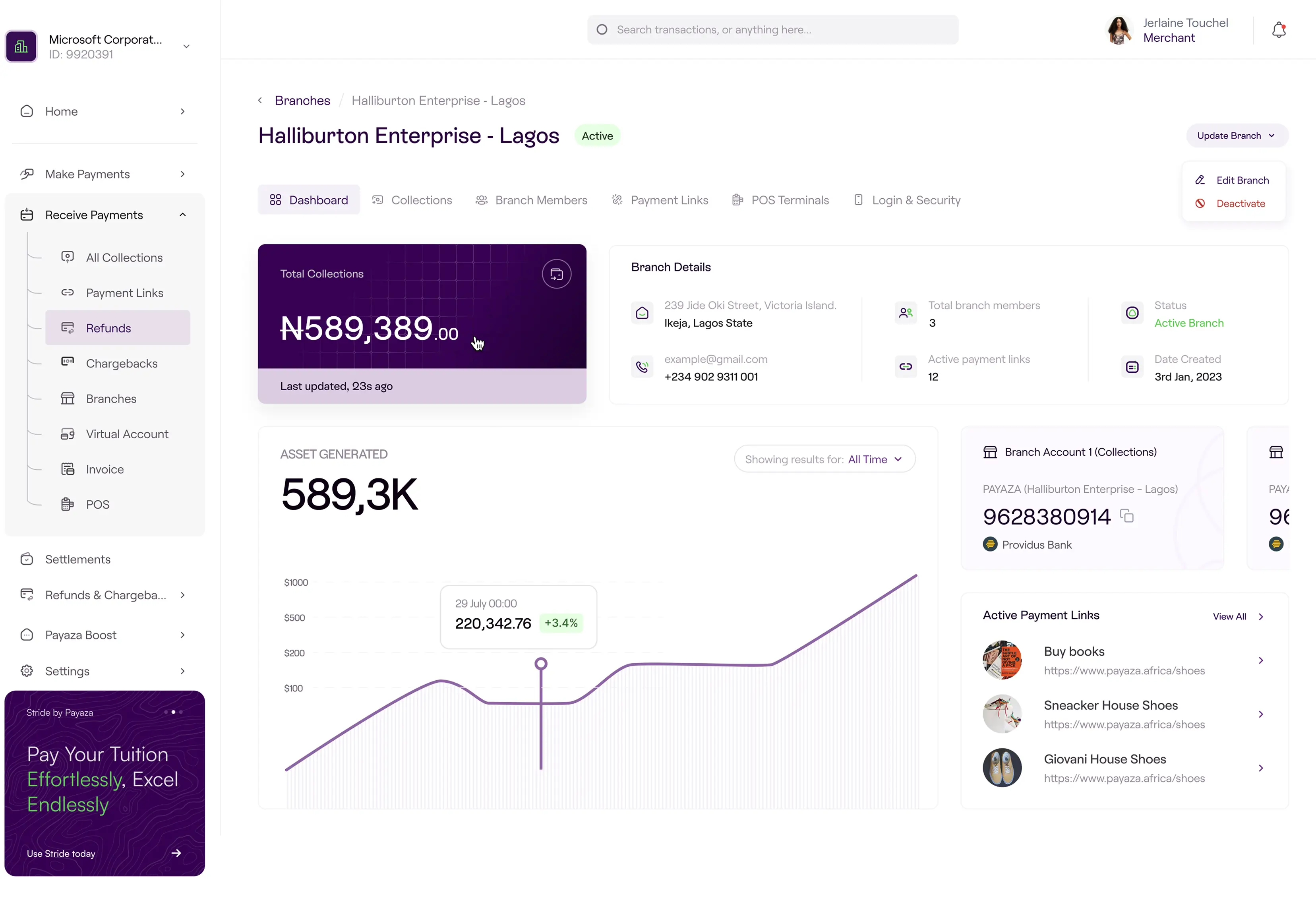
A branch is a location belonging to a merchant. It carries a name, an address, contact details, and a status (active or disabled). It owns a virtual account number that customers pay into. It has a roster of members.
An account is the virtual account number assigned to a branch when it is created. It is the surface the customer pays into. It is owned by the branch, not by the member or the merchant. Collections into the account are attributed to the branch automatically, which removes the manual reconciliation problem that the workarounds couldn’t solve.
A member is a person attached to a branch in a specific role. The PRD names two roles explicitly (manager and sales rep), with room for more. Each member carries an identity (first name, last name, phone, email) and a notification preference (email, SMS, or both). The email address is the member’s login and cannot be changed once set. A member belongs to exactly one branch at a time but can be transferred between branches without losing their identity or their history.
The relationships matter. Members belong to branches, not to accounts. Accounts belong to branches, not to members. This separation lets staff move between branches without taking the account with them, and lets branches close or pause without invalidating the people who worked there. The merchant sits above all three objects. They own the branches, configure the settlement account, and see consolidated views across the entire structure. The branch members see only their own branch.
FOUR FLOWS CARRY THE PRODUCT. EACH MAPS TO A DIFFERENT MOMENT IN THE LIFECYCLE OF A MULTI-LOCATION BUSINESS.
The Ultimate Flows Different Location

The Edges
A system is judged by its edges. Five matter here.

Edges 1
Disabled branches retain their account number, collection history, and roster, but block new payments at the rail level. The merchant can re-activate at any time. This supports seasonal locations, renovations, and franchisees on probation.
Edges 2
Member transfers switch the notification feed cleanly at the moment of transfer. In-flight notifications for the previous branch still deliver; new ones from the new branch start immediately. History at the previous branch stays visible to the merchant for audit.
Edges 3
The immutable email looks like a limitation; it’s a design discipline. The email is the identity anchor for login and notifications; letting it drift creates login mismatches, routing failures, and audit breaks. If a member’s email needs to change, the merchant creates a new member and transfers permissions. The cost is honest. The benefit is a simpler, more reliable surface.
Edges 4
Role boundaries are deliberately flat. Branch members see only their branch. The merchant sees everything. No middle tier. Two layers serve 90% of the businesses Payaza Branches was designed for; adding regional managers or area leads is a future scope call.
Edges 5
Pre-staging lets a merchant create a branch in the disabled state, add members, and provision accounts before opening day. The cost is zero (the status field already exists). The benefit is that the merchant doesn’t wait until day one to set up the system.
The Flows
Branch Creation
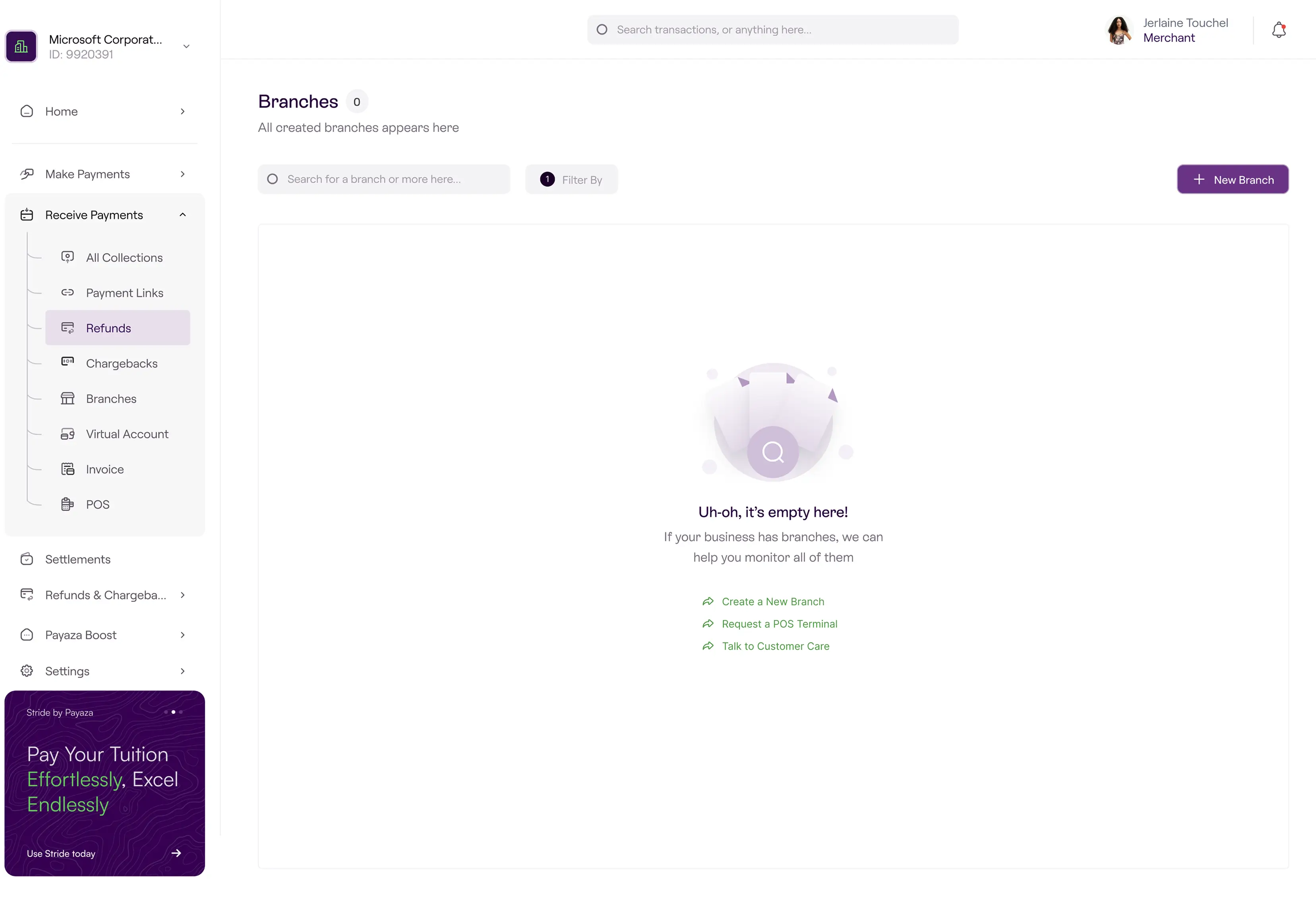
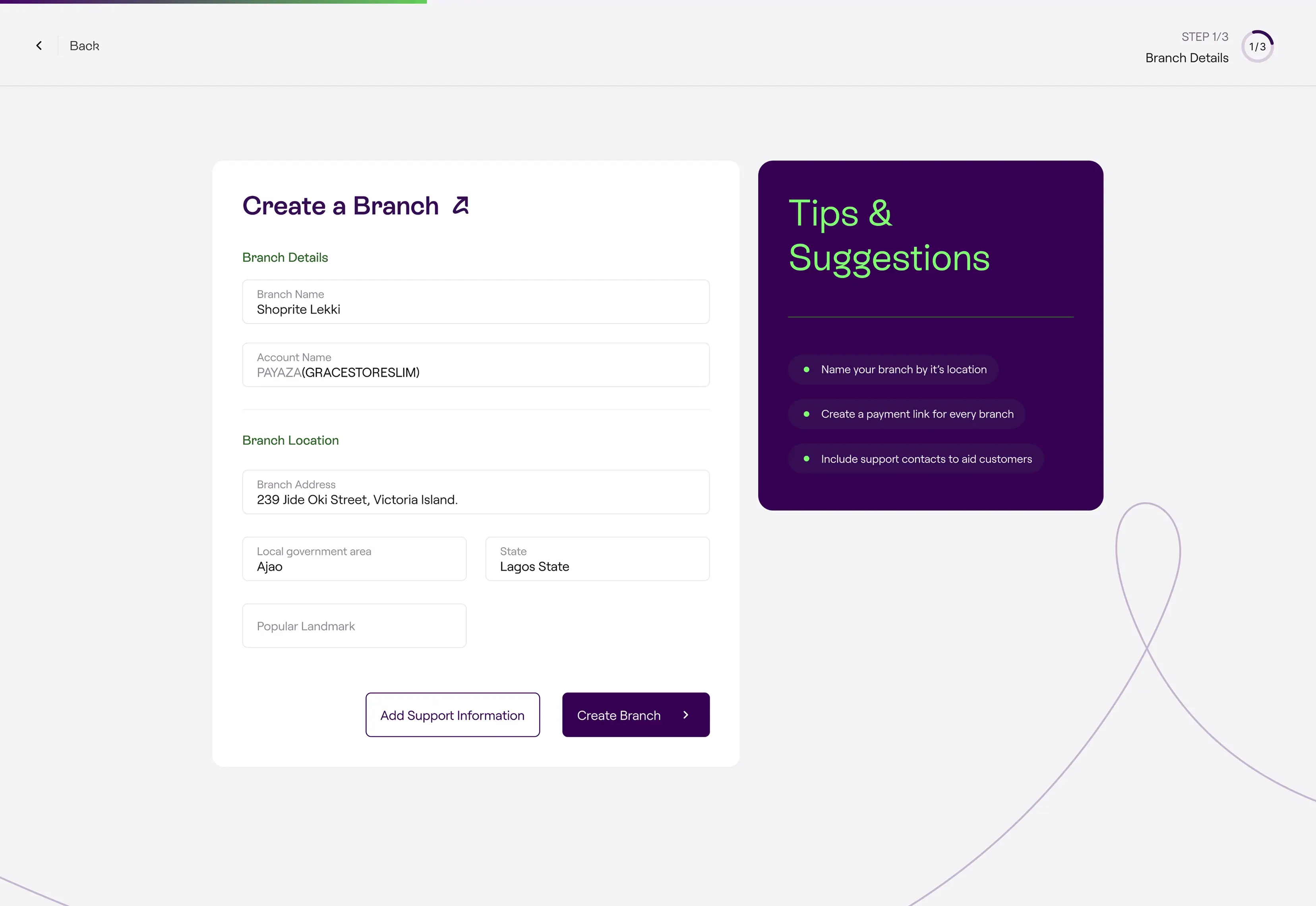
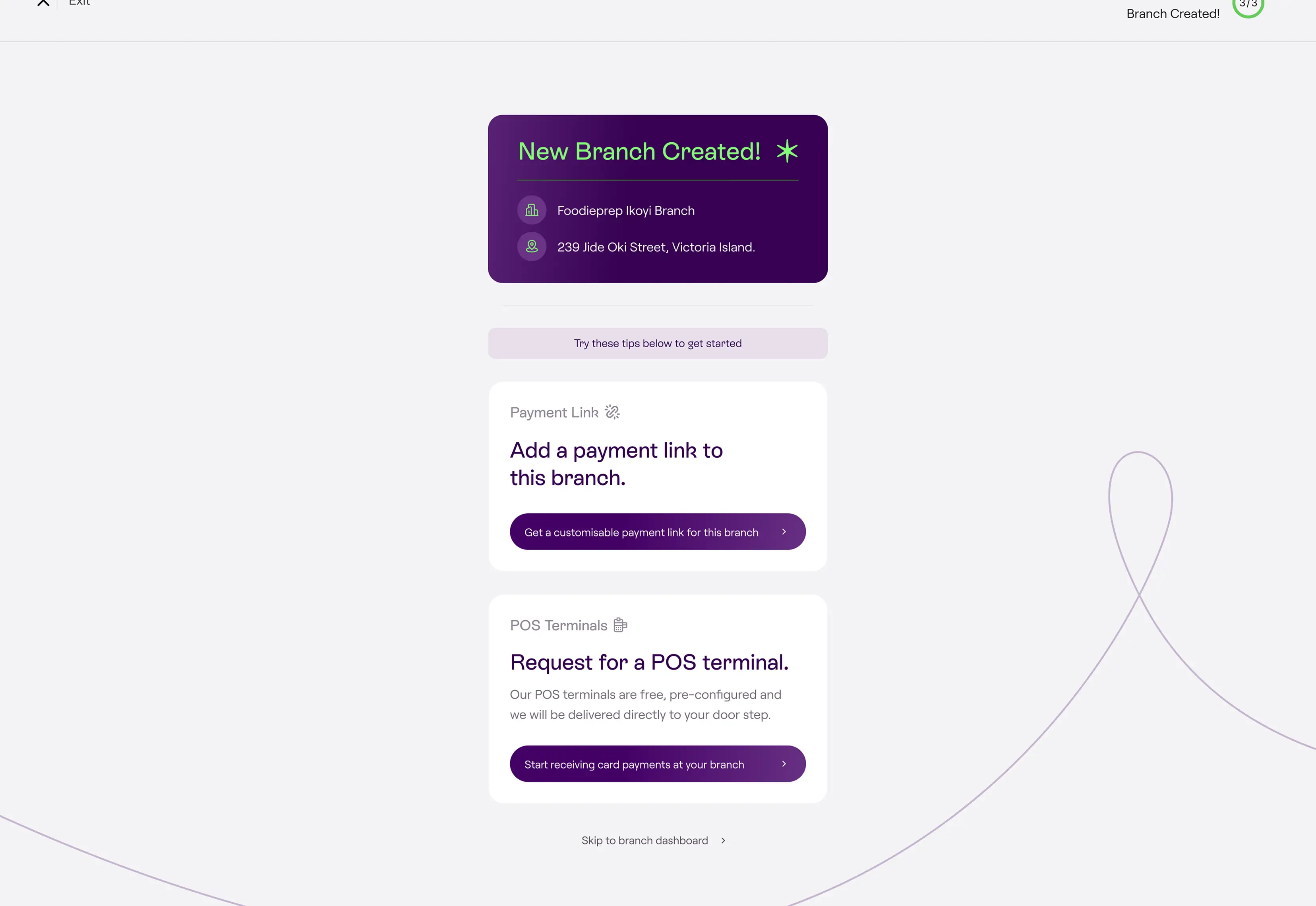
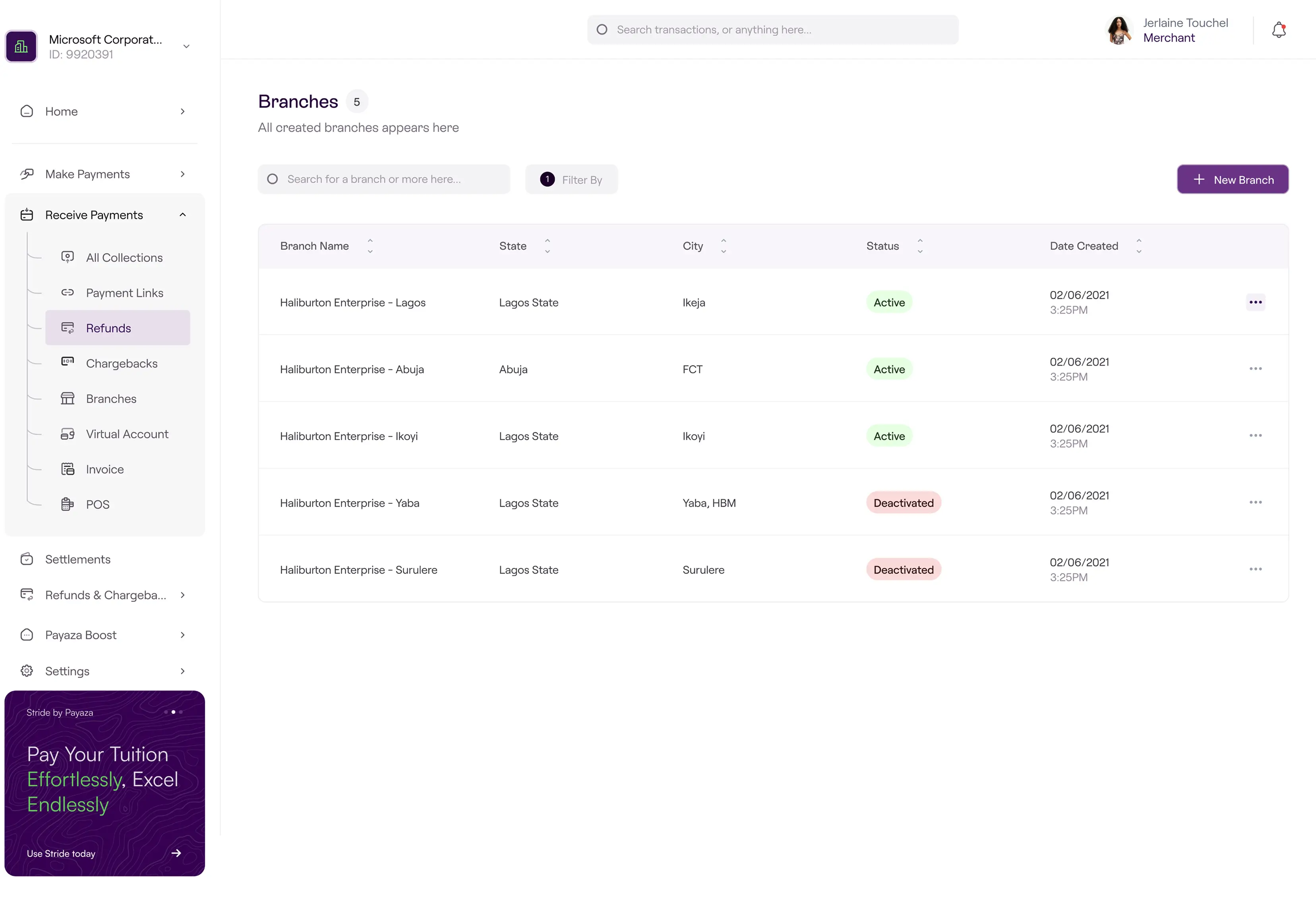
The merchant creates a branch from the dashboard. They name it, set the address, choose a city and state, mark a landmark, and assign an account name. Optionally, they add a branch-level phone and email for collection notifications. They set the branch status (active or disabled) at creation time, which lets a merchant pre-stage a branch before it opens for business. The moment the branch is created, the system provisions a virtual account number for it. The merchant doesn’t request the account separately. The account is a property of the branch, generated as part of the same atomic action.
Member Onboarding
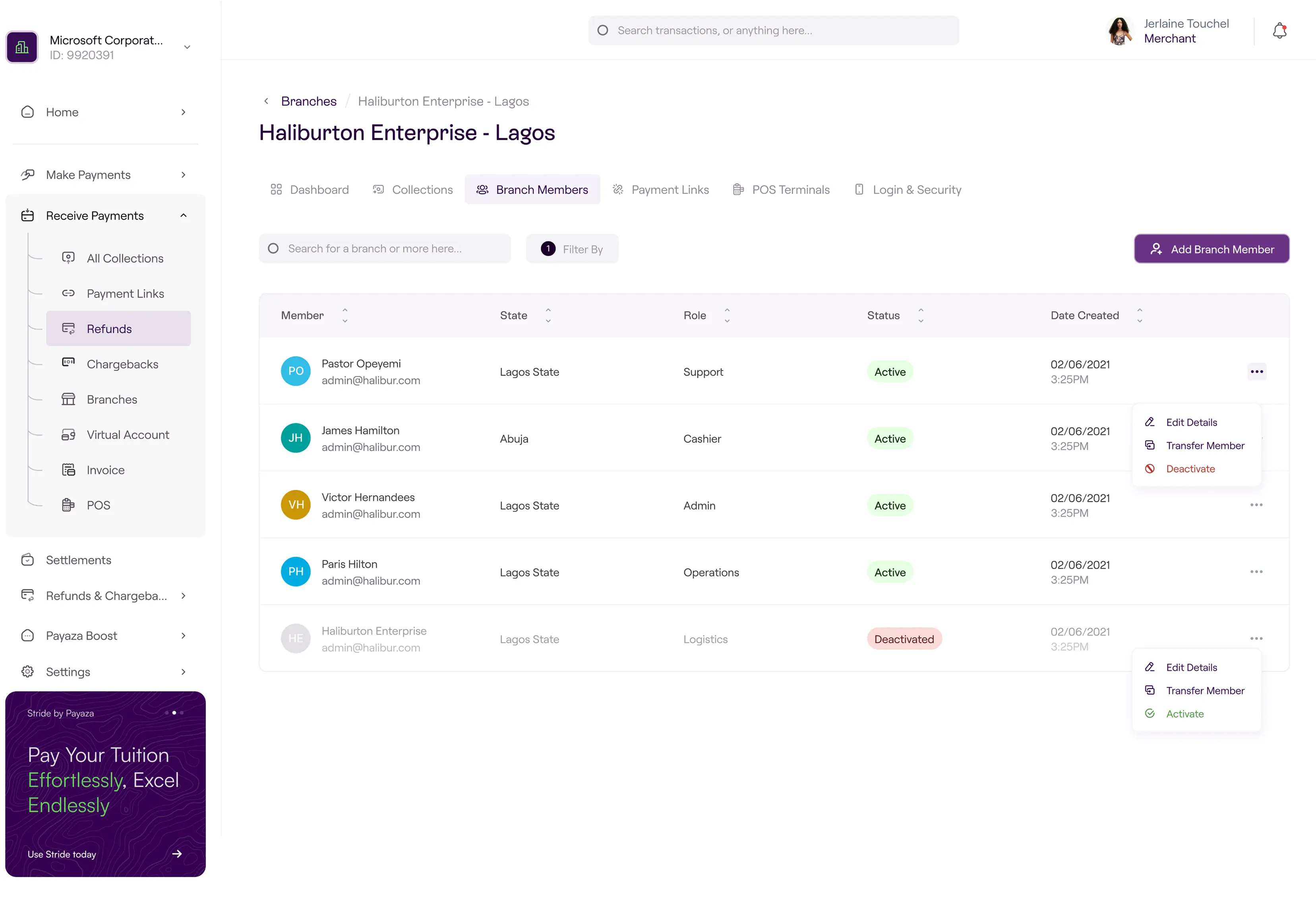
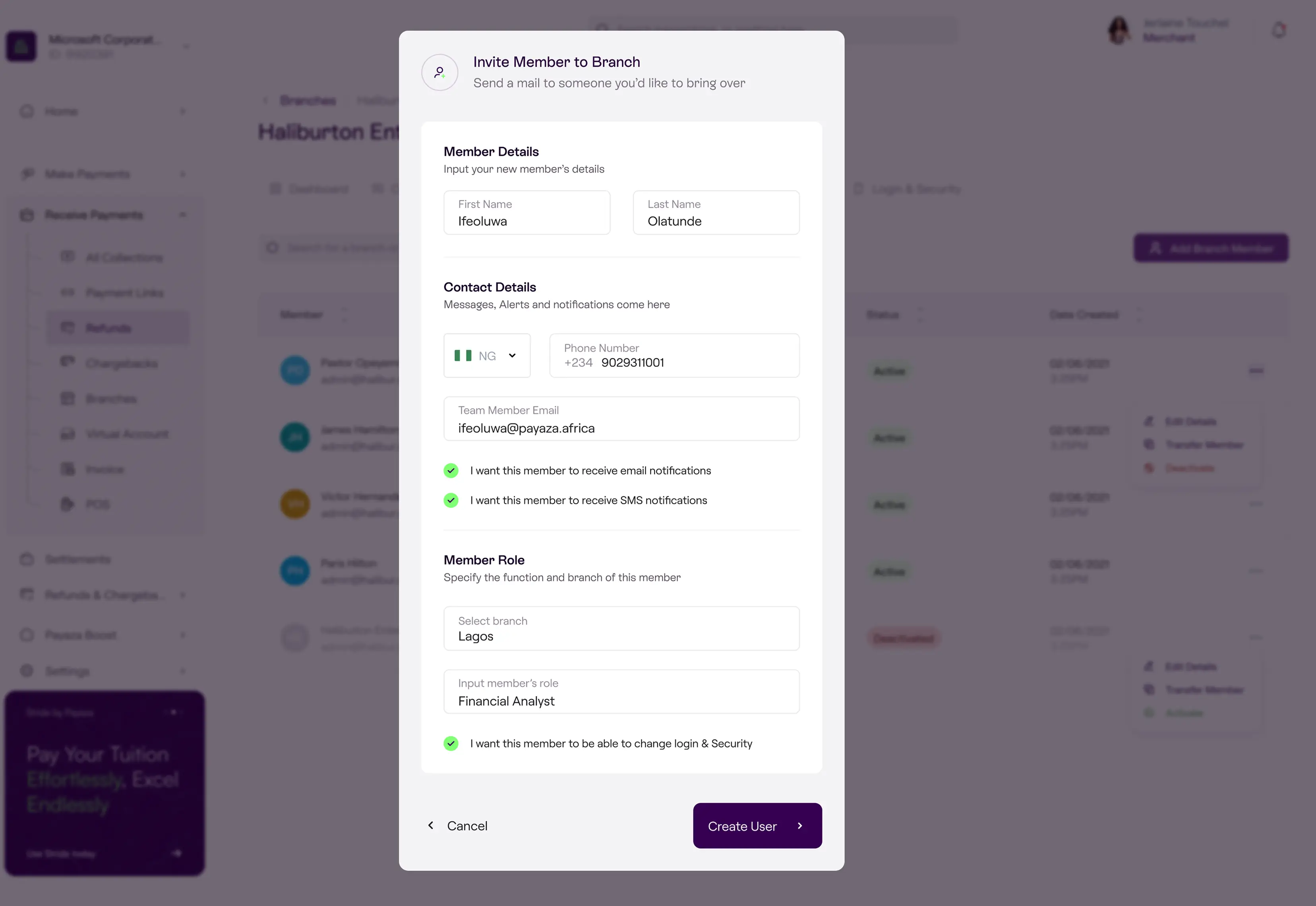
The merchant adds members to a branch by entering the member’s name, contact details, role, and notification preference. The system sends the member an email with login credentials. The member can then log in to a view scoped only to their branch.
The notification preference is per-member, not per-branch. A sales rep on the road might want SMS; a manager at a desk might want email. The system respects the distinction.
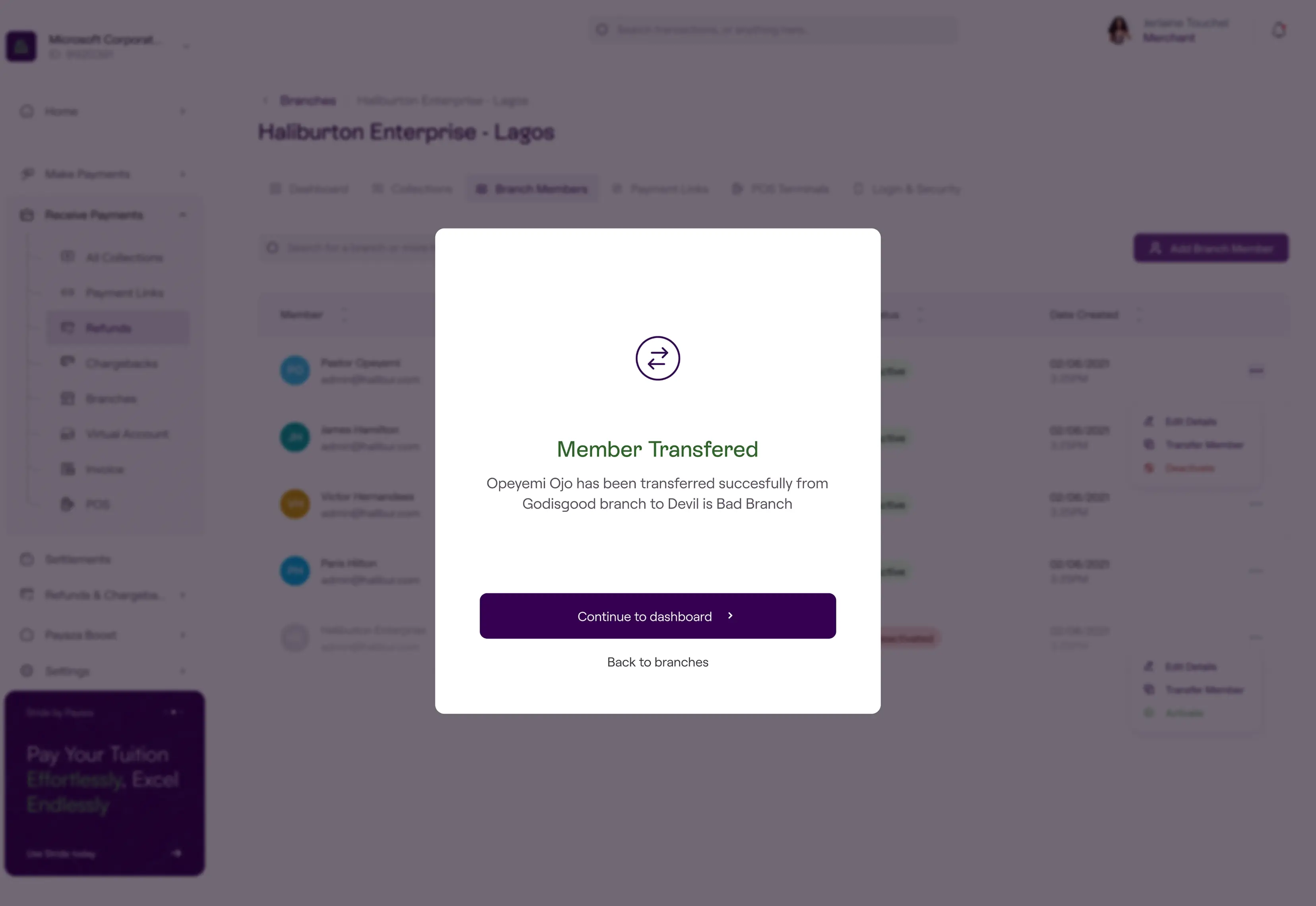
Member transfer is a first-class action. A merchant moves a member from one branch to another through a single dialog. The member keeps their account, their login, and their identity. Their notification feed switches to the new branch’s collections.
Payment And Notification
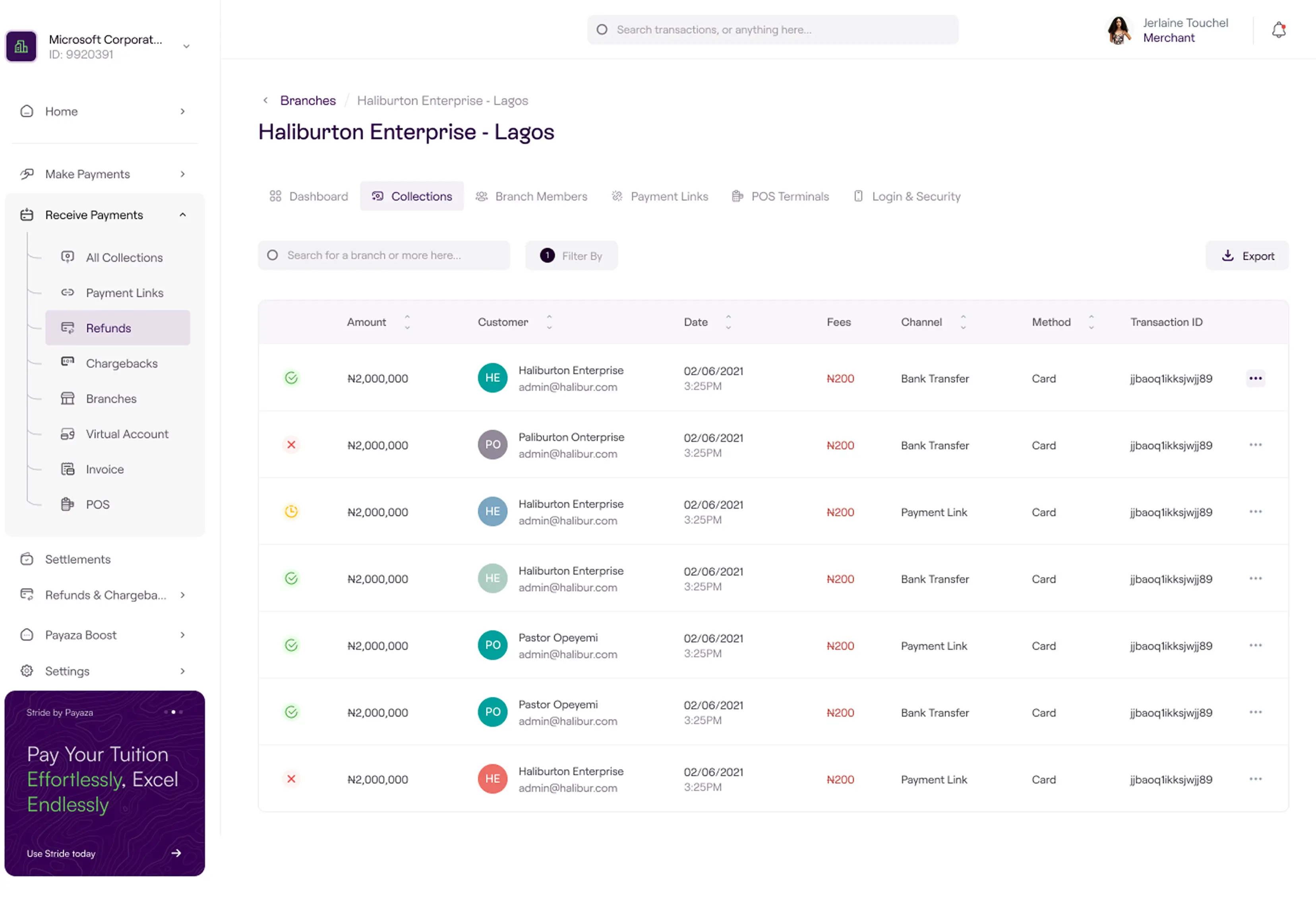
A customer pays into the branch’s virtual account. The moment the payment lands, every member of the branch with notifications enabled receives a real-time alert. Email, SMS, or both, depending on each member’s preference. The merchant sees the payment in the consolidated view simultaneously.
The notification is the product’s load-bearing moment. It’s the difference between a multi-branch system and a multi-account workaround. The branch staff know the payment landed before the customer leaves the counter. The head office sees it as part of the day’s running total without lifting a finger.
Settlement
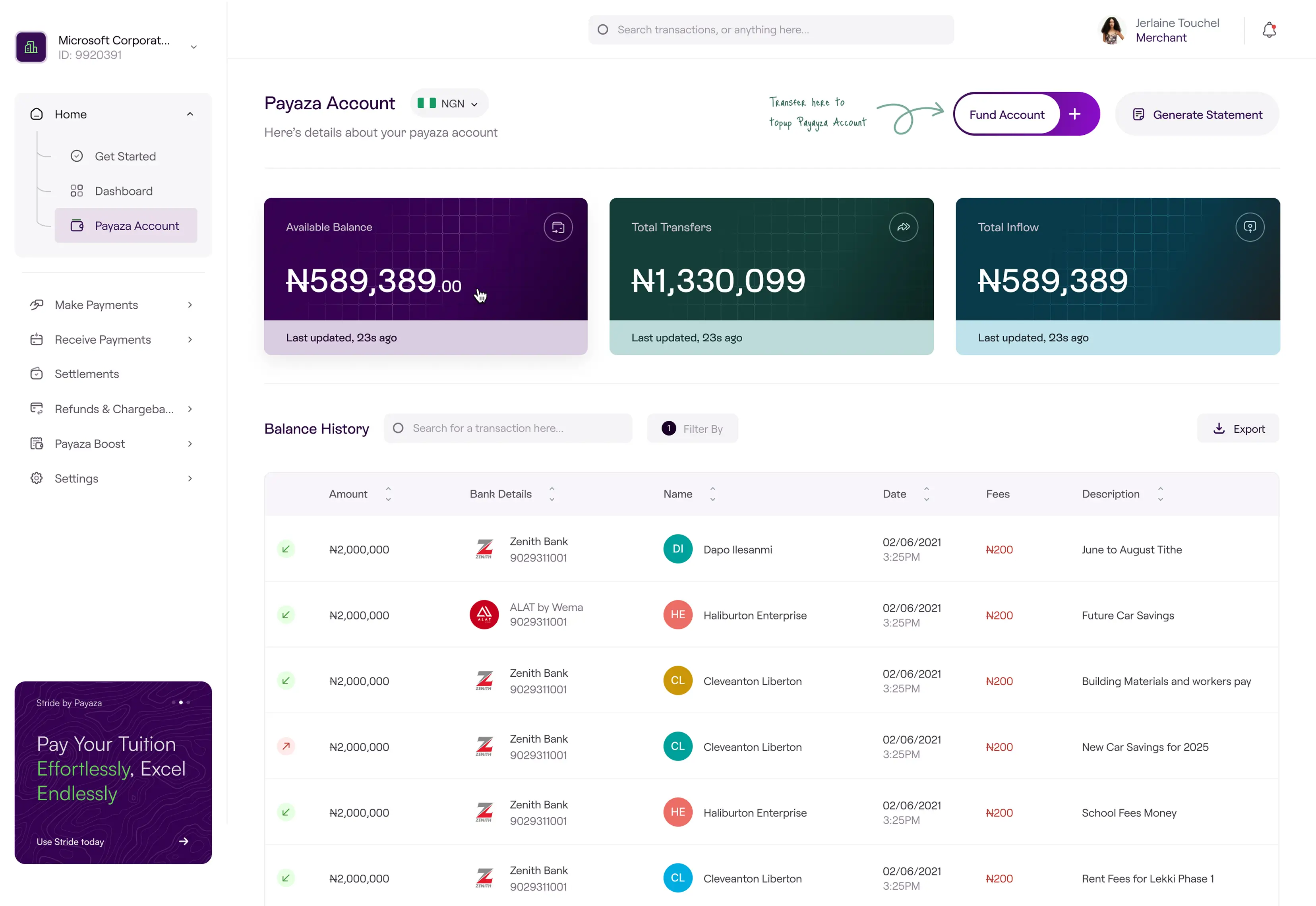
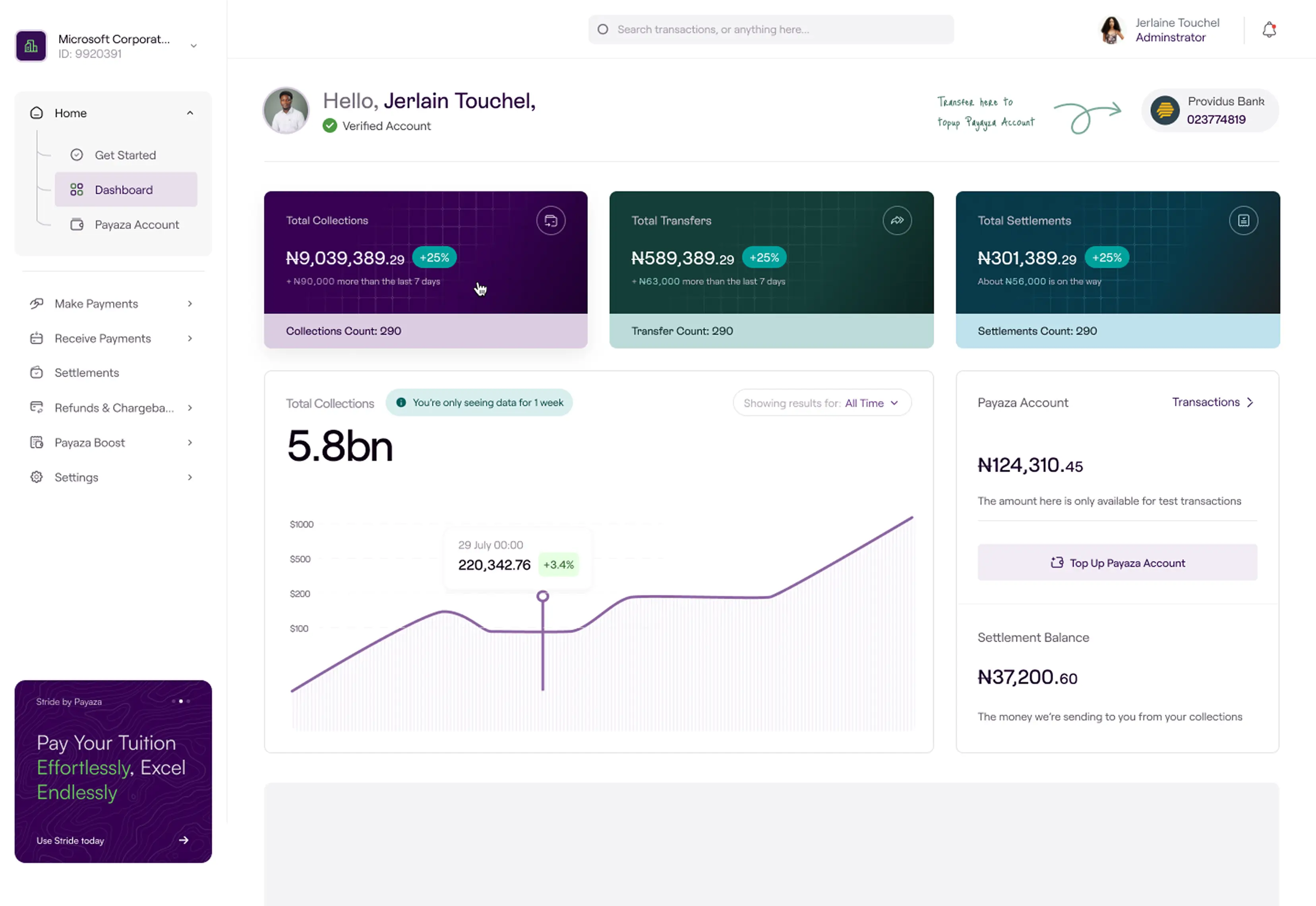
Collections roll up to the merchant’s single settlement account on T+1. The merchant doesn’t reconcile across branches; the system does it automatically, branch by branch, with each branch’s contribution attributable in the dashboard.
The settlement is consolidated by design. A merchant operating ten branches receives one daily settlement, not ten. The reporting underneath remains branch-attributable, so the merchant can see which branch contributed what without losing the operational simplicity of a single payout.

The most useful thing a multi-location merchant can do with Payaza Branches is something they couldn’t do at all before: trust the system to attribute payments to the right place, in real time, without involving them.
The merchant stops being a reconciliation operator. Branch staff stop being middlemen who confirm to head office that a payment came through. The customer pays. The branch staff see the payment land. The merchant sees it in the consolidated view. Settlement runs the next day, with branch-level attribution intact. The flow that used to require human work at three different levels now requires zero.
The data model is the move that makes this possible. Treating the branch as a first-class object, with its own account and its own roster, lets every downstream behaviour fall out naturally. Notifications attribute by branch because the branch owns the account. Settlement aggregates by branch because the branch owns the collections. Transfers preserve identity because the member is separate from both the branch and the account. None of this is a feature. All of it is a property of the model.
The constraint that surprised me was the immutable email. It looks like a limitation; it’s actually a design discipline. By refusing to let identity drift, the system avoids an entire class of failure modes that other multi-tenant products spend engineering effort defending against. The cost is honest. The benefit is a simpler, more reliable surface for everyone who touches it.
Payaza Branches doesn’t add multi-location features to a payment product. It treats multi-location as the primary case and designs the data model, the surfaces, and the flows from that starting point. That reframe is the work. The screens are what falls out of it.